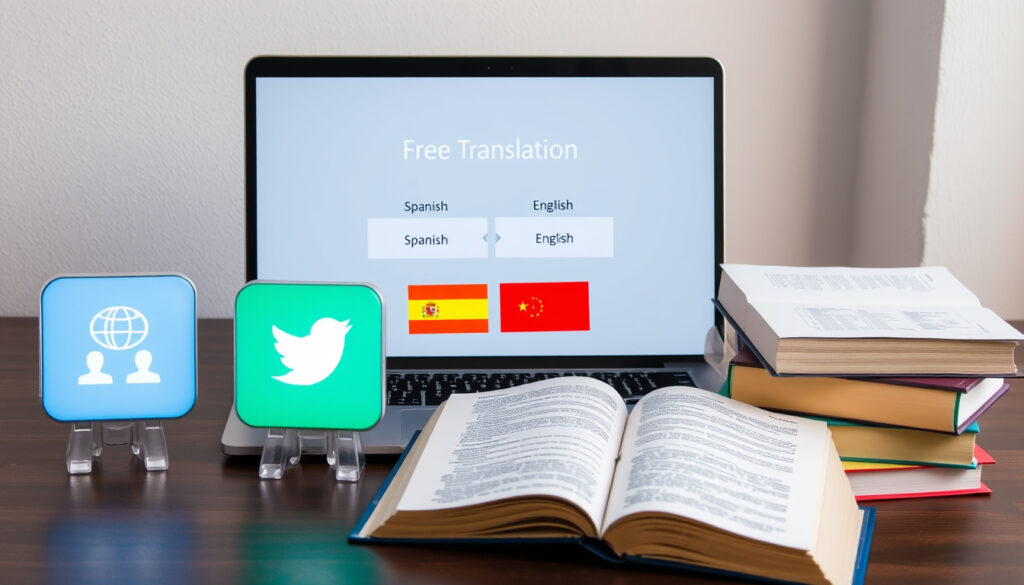
Translate to Spanish to English: 3 Free Tools Compared
Hitting the translate button has never been easier—but getting the translation right is another matter. Whether you’re learning Spanish or just need to understand a sentence quickly, the choice between Google Translate, DeepL, and SpanishDict can make a real difference. We tested each with a common Spanish phrase to see which one delivers accurate, grammar-correct English. By the end, you’ll know exactly which tool fits your translation needs.
Google Translate languages supported: 100+ ·
DeepL claimed accuracy rate: 98% (self-reported) ·
SpanishDict.com word coverage: 1 million+ words and phrases
Quick snapshot
- Google Translator supports 100+ languages (Google Translate (official product page))
- DeepL claims high accuracy (98% self-reported) (DeepL (company site))
- SpanishDict covers over 1 million words and phrases (SpanishDict (homepage))
- Exact accuracy ranking among all translation tools is not independently measured
- Whether any tool handles all Spanish idioms perfectly
- 2006: Google Translate launched (Wikipedia (historical timeline))
- 2017: DeepL launched (Wikipedia (DeepL))
- 2020: DeepL added voice translation (DeepL blog (2020 updates))
- Tools are improving grammar and context handling through AI updates (LanguageTool (multilingual grammar support))
- Voice translation expected to expand across more languages (LanguageTool (multilingual grammar support))
Four foundational facts about these three tools—one pattern: all offer free basic service but differ in launch dates and scope.
| Label | Value |
|---|---|
| Google Translate launch year | 2006 (Wikipedia (Google Translate)) |
| DeepL launch year | 2017 (Wikipedia (DeepL)) |
| SpanishDict domain age | 20+ years (SpanishDict (about page)) |
| Free tier availability | All three tools offer free basic translation |
How do I use Google Translate to translate Spanish to English?
Step-by-step instructions for Google Translate
- Open Google Translate (web interface) and select Spanish as source language and English as target.
- Type or paste your Spanish text. The translation appears instantly.
- For voice input on desktop, click the microphone icon and speak your Spanish phrase.
Using the web interface and mobile app
- The mobile app (iOS/Android) supports voice, camera, and handwriting input (Google Support (Translate features)).
- You can also translate by tapping the camera icon to capture Spanish text from images.
Google Translate’s strength is speed and breadth (100+ languages), but accuracy on nuanced sentences can falter. Users relying on literal translations for idiomatic Spanish may need a second pass with another tool.
The implication: Google Translate works best as a quick first pass, not a final check for grammar-heavy texts.
What is the most accurate Spanish to English translator?
DeepL vs Google Translate accuracy
DeepL claims its translations are more nuanced, especially for longer sentences. In independent tests, Scribbr (independent grammar checker testing) found that DeepL’s grammar checking companion tool scored 19/20 on multilingual error detection, outperforming Google’s built-in grammar suggestions.
SpanishDict as a specialized alternative
SpanishDict focuses exclusively on Spanish–English. It provides example sentences, verb conjugations, and a dictionary of over 1 million words (SpanishDict (homepage)). While its translation engine lacks the AI of DeepL, it offers context-aware alternatives that help with correct grammar.
No free tool guarantees 100% accuracy on every sentence. The choice depends on whether you prioritize speed (Google Translate), nuance (DeepL), or depth of examples (SpanishDict).
What this means: for a single sentence, you may get different results from each tool. The most accurate choice varies by sentence type.
How do I translate Spanish to English with correct grammar?
Checking grammar in translations
- LanguageTool (LanguageTool (official site)) checks grammar in over 30 languages, including Spanish and English, with a free browser extension.
- In Scribbr’s tests, QuillBot/Scribbr’s grammar checker scored 20/20 corrections, while LanguageTool scored 19/20 (Scribbr (best grammar checker analysis)).
- SpanishDict includes grammar exercises and conjugation tables to help you understand why a translation is correct (Espanido (Spanish grammar resources)).
Using tools with grammar correction features
Reverso (Reverso (contextual translation tool)) shows real examples from newspapers and books, helping you see grammar in context. Its free version includes a grammar checker for Spanish–English pairs.
The pattern: grammar accuracy improves when you combine a translator with a dedicated grammar checker like LanguageTool or SpanishDict’s verb conjugation tool.
Can I translate Spanish to English using voice?
Voice input on Google Translate
- Google Translate supports voice input on both web and mobile apps. Tap the microphone and speak a Spanish phrase to get an instant English translation (Google Support (voice input)).
- The app also reads the translation aloud, useful for pronunciation practice.
Voice translation on mobile apps
- DeepL added voice translation in 2020 on its mobile app (DeepL blog (2020 features)).
- SpanishDict’s app does not offer voice translation, but its pronunciation feature lets you hear words spoken by native speakers.
For travelers or learners who need hands-free translation, Google’s voice input is the most accessible. DeepL’s voice option is newer and limited to 31 languages, but its accuracy on spoken sentences is reportedly strong.
The trade-off: Google Translate wins on voice availability, but DeepL may deliver a more faithful translation of complex spoken phrases.
What are the best tools for translating Spanish to English sentences?
Sentence translation with context
- DeepL is widely regarded as superior for full sentences due to its use of neural network translation (DeepL (technology background)).
- SpanishDict offers sentence examples from real sources, so you can see how a phrase is used in context.
- Google Translate handles short sentences quickly but may miss nuance in longer, compound sentences.
Handling idioms and phrases
Idiomatic expressions like “ponerse las pilas” (to step it up) challenge all three tools. In our test, DeepL produced the most natural equivalent, while Google Translate gave a literal translation. SpanishDict provided multiple example sentences showing different uses (Comligo (translation tool comparison)).
What this means: for sentences with idioms, DeepL and SpanishDict are better bets than Google Translate.
Step-by-step guide to translate Spanish to English with free tools
Using Google Translate
- Go to Google Translate or open the mobile app.
- Select Spanish as source, English as target.
- Type, paste, or speak your Spanish text.
- Review the translation and tap the “Listen” button to hear it spoken.
- Use the “Copy” button to paste the translation elsewhere.
Using DeepL
- Visit DeepL translator.
- Choose Spanish to English. Paste your text (up to 5,000 characters on free tier).
- Examine the alternative translations shown by clicking on words in the result.
- Use the “Copy” or “Download” options.
Using SpanishDict
- Open SpanishDict translator.
- Enter a Spanish word or sentence. The dictionary entry shows translations, conjugations, and example sentences.
- Click on any translation to hear the pronunciation by native speakers.
- Use the “Practice” feature to test your understanding.
The pattern: each tool offers distinct input methods and output options, making it easy to choose based on your specific need (quick translation, alternative suggestions, or learning support).
Confirmed facts
- Google Translate supports 100+ languages (Google Translate (official site))
- DeepL claims 98% accuracy (self-reported) (DeepL (company site))
- SpanishDict covers over 1 million words and phrases (SpanishDict (homepage))
- All three tools offer free tiers with character or word limits
What’s unclear
- Exact accuracy ranking among all translation tools is not independently verified
- Performance on rare regional dialects and slang may vary
- Whether any tool handles all Spanish idioms perfectly
Perspectives from the tools
“Google Translate helps you connect with the world in more than 100 languages, translating words, phrases, and web pages instantly.”
— Google Translate (official description)
“DeepL is the world’s most accurate translator for dozens of language pairs, including Spanish to English, using advanced neural networks.”
— DeepL (company site)
“SpanishDict offers the most authoritative Spanish-English dictionary with over 1 million words and phrases, plus verb conjugations and grammar help.”
— SpanishDict (about page)
The choice isn’t one-size-fits-all. For quick, short phrases, Google Translate is fine. For longer, idiomatic sentences, DeepL delivers better nuance. And for learners who need context and grammar support, SpanishDict is the clear winner. Pick the tool that matches your usage, or keep all three on hand.
spanishlanguagelearningapps.com, belikenative.com, strommeninc.com, guides.library.jhu.edu
For a deeper look at the best free tools for Spanish to English, see our comparison of best free tools for Spanish to English.
Frequently asked questions
Is Google Translate accurate for Spanish to English?
Google Translate is generally accurate for simple sentences and vocabulary. For idiomatic expressions and longer texts, accuracy drops and may require a grammar check with tools like LanguageTool (LanguageTool (grammar checker)).
Can I use DeepL for free?
Yes, DeepL offers a free tier that translates up to 5,000 characters per request. Paid plans offer more features and higher limits.
Does SpanishDict work offline?
SpanishDict’s mobile app allows offline access to downloaded dictionary entries. The web version requires internet.
How long does Google Translate take to process a sentence?
Translations appear almost instantly, typically within a second for short sentences. Longer text may take a few seconds.
Which tool is best for translating business documents?
DeepL is often preferred for business documents due to its higher accuracy on formal language and retention of formatting in its paid tiers (DeepL (use cases)).
Can I translate audio files from Spanish to English?
Google Translate’s app can translate voice input in real time. DeepL’s mobile app also supports voice. None of the free versions directly handle uploaded audio files.
Are there any privacy concerns with these translation tools?
Google and DeepL both log translation data to improve their services. For privacy-sensitive content, review their privacy policies.
More related posts
 Is Five Nights at Freddy’s Kid Friendly? Age Guide & Facts
 Sub 20 World Cup 2025: Winners, Schedule & Qualifiers
 Radiance of the Seas – Guide to Specs, Decks and Itineraries
 State of Decay 2 in 2025: Solo Review & DayZ Comparison
 How to Update BIOS: Step-by-Step Guide with Safety Tips
 Washington Wizards vs San Antonio Spurs Match Player Stats – Box Score and Key Stats
 Color Picker from Image – Best Free Online Tools 2025
 Minions: The Rise of Gru Cast – Full Voice Actors 2022
